3 RFK tolls billed to Omar, checked against GPS$34.50
$34.50
Wed 8:30 am
Ticket moved to Ravi on CCWeb$115.00
$115.00
Thu 7:05 pm
Ravi called. Your phone showed his name.
Thu 9:12 pm
4 days late. Car disabled once parked.$1,000 owed
$1,000 owed
Fri 8:04 am
Noa paid by Zelle. Car back on.$500.00
$500.00
Fri 5:00 pm
Week closed. 1 late balance, 1 registration due.$9,640 collected
$9,640 collected
$86,819
recovered for the fleets on FleetAi
$51,875
798 parking and camera tickets transferred off fleet plates through CCWeb
$34,944
4,494 tolls billed to the drivers who crossed
2,725
crossings verified against the car’s own GPS
Counted from live records across every fleet on the platform, refreshed hourly. As of September 30, 2026.
$220average savings per car, every month
what a car on FleetAi keeps out of tolls, tickets, and rent. Not a price.
Tolls billed to the driver who drove, tickets transferred to the driver who was parked, and rent collected at the platform’s rate against a fleet collecting five points less. Counted per car billed rent across every fleet on the platform, July through September 2026, and rounded down.
Five jobs, done on schedule.
Collect the rent, keep the fleet compliant, stay in touch with drivers, know where every car is, and keep an unpaid car parked. Everything else on the platform serves one of these.
Money
Rent that collects itself.
Weekly invoices go out on schedule. Zelle payments match to the right driver by name and amount. Balances settle oldest-first, so every dollar lands where it should.
Zelle, card, and bank transfer
Invoices, receipts, and overdue notices
Drivers pay and download their documents from their own portal
fleet-ai.app/dashboard/drivers
Compliance
Tolls, tickets, and summonses, billed to whoever drove.
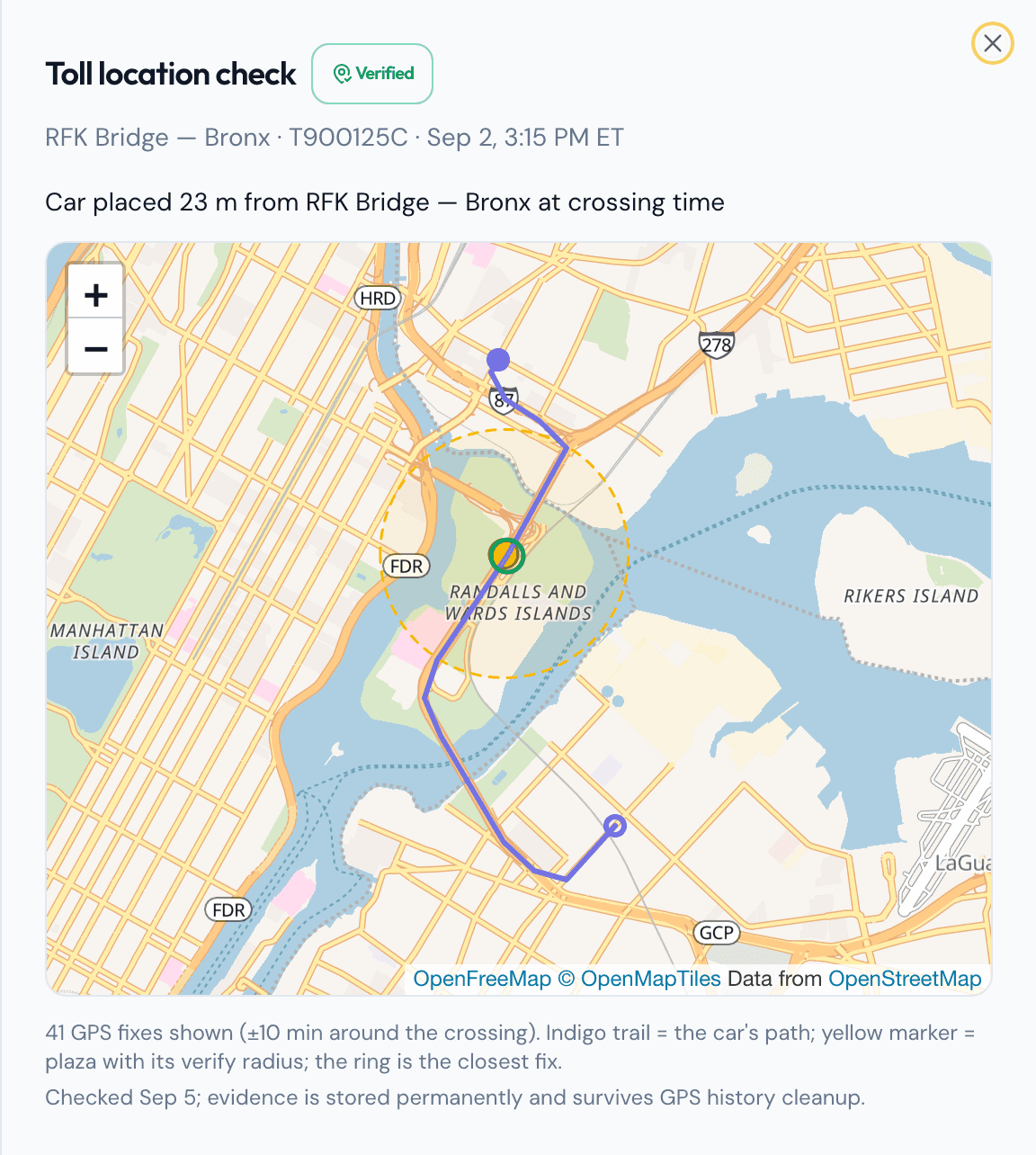
Connect your E-ZPass Business account and every toll matches to the driver who had the car that day, then gets checked against the car’s own GPS trail. NYC parking and camera tickets are tracked fleet-wide and transferred through CCWeb. TLC summonses arrive from OATH before the hearing date.
A crossing counts as verified only when the car’s GPS puts it at the plaza
Auto-invoice tolls, autopay tickets
Licenses, registrations, and insurance flagged 30 days before they expire
fleet-ai.app/dashboard/tolls
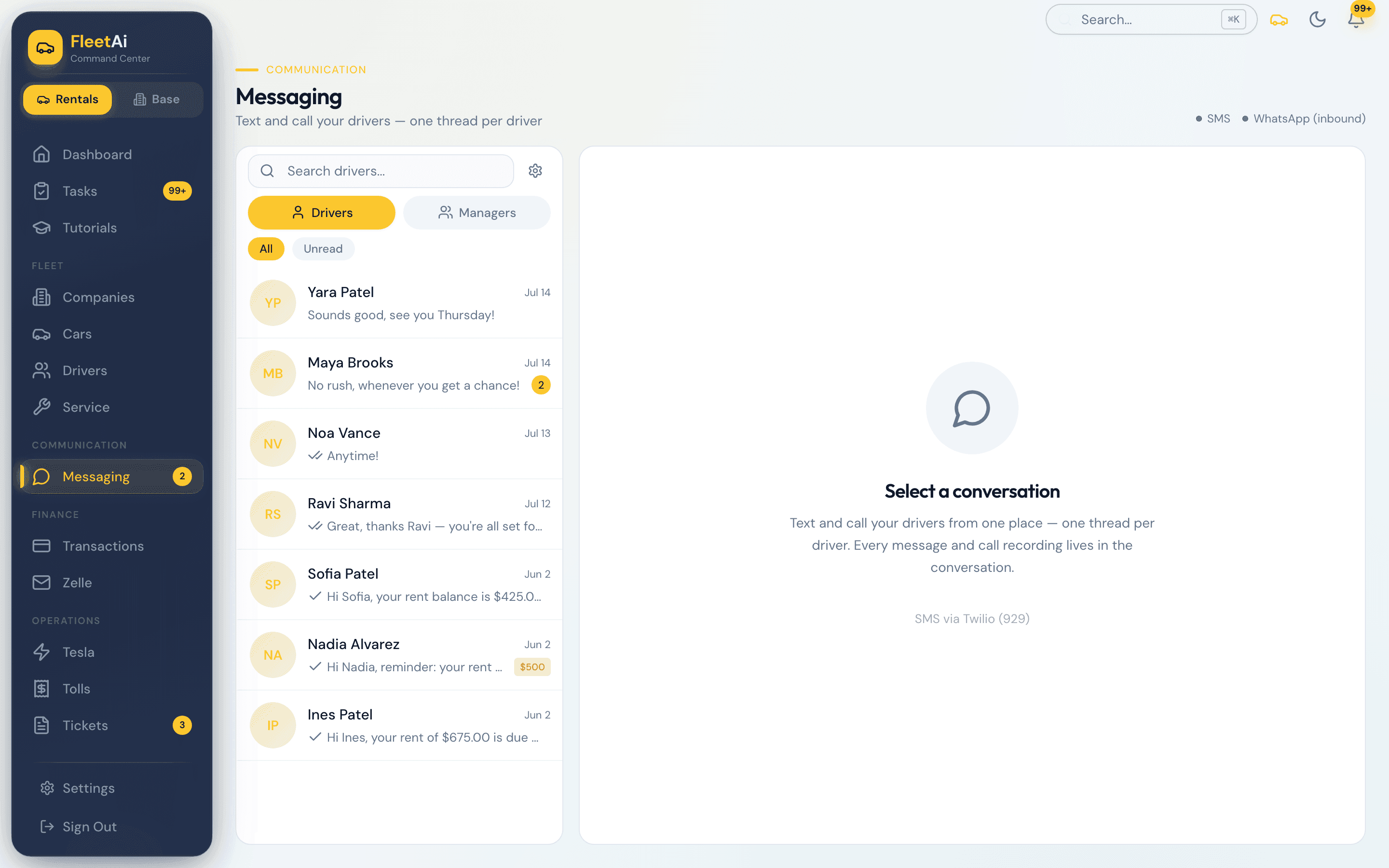
Messages and calls
One number for the whole fleet.
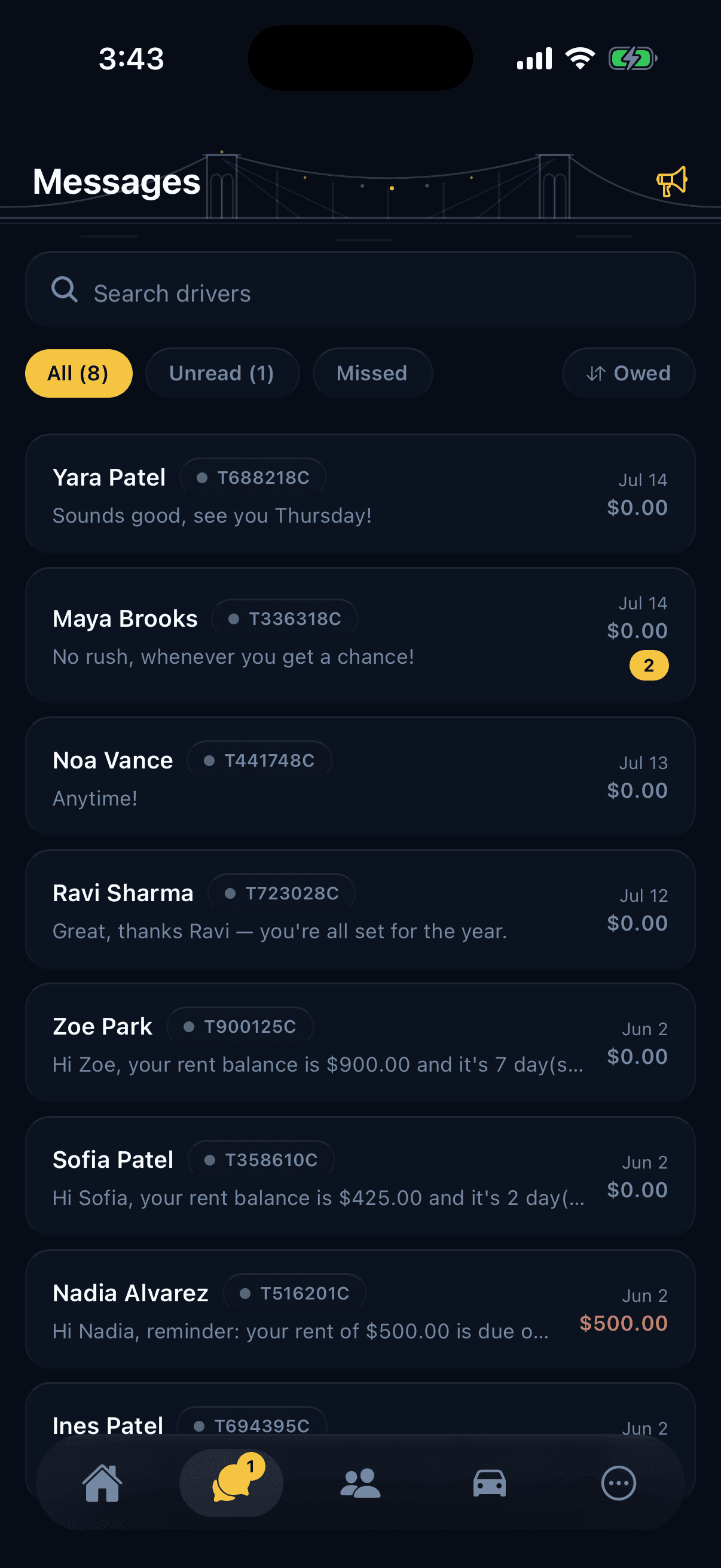
Text drivers from the fleet’s 929 line and read every reply in one inbox. Calls ring on the desktop and on your phone with the driver’s name. Recordings and transcripts sit in the thread.
Rent reminders and overdue notices send themselves
Broadcast to every driver in one send
fleet-ai.app/dashboard/messaging
Location
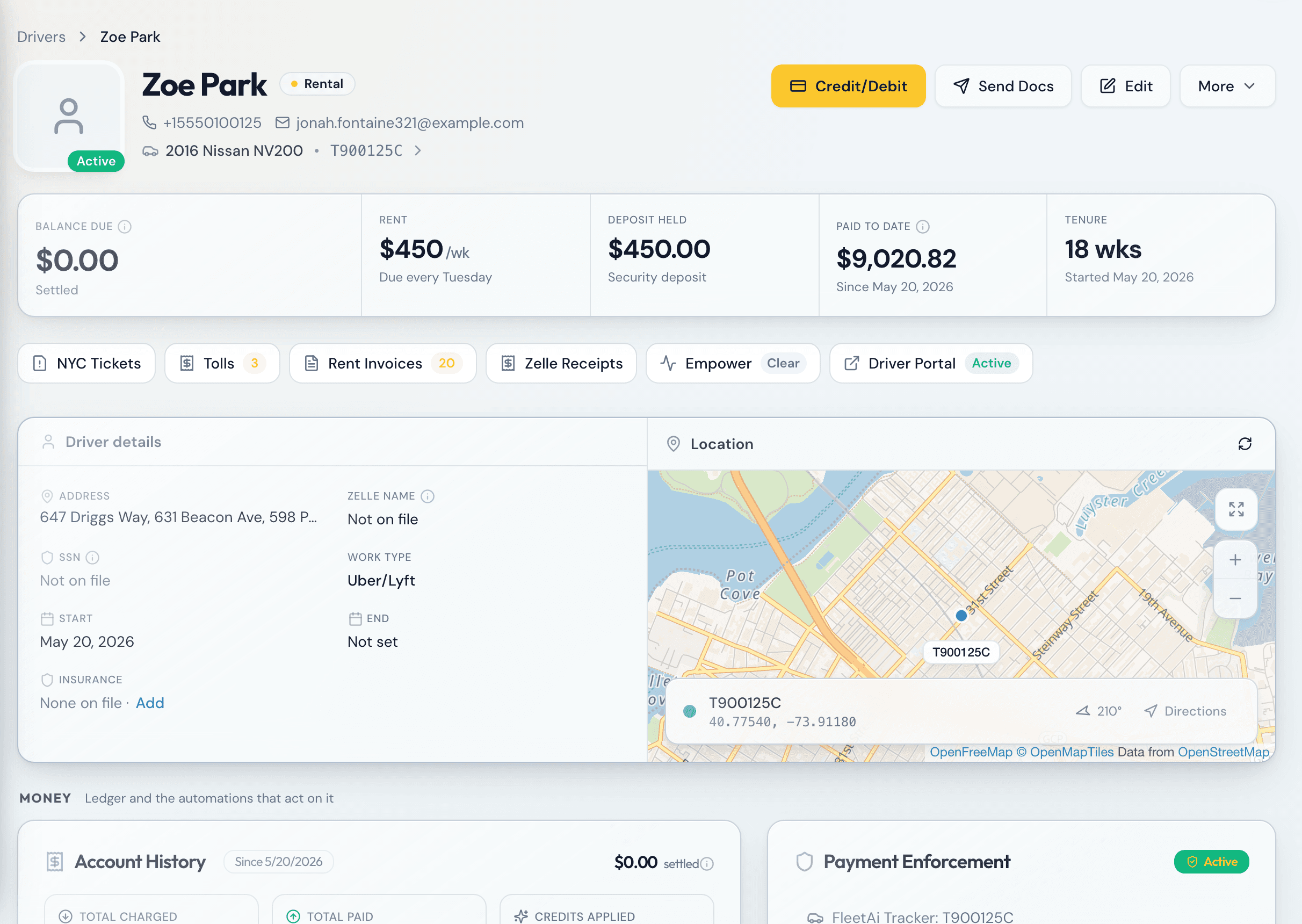
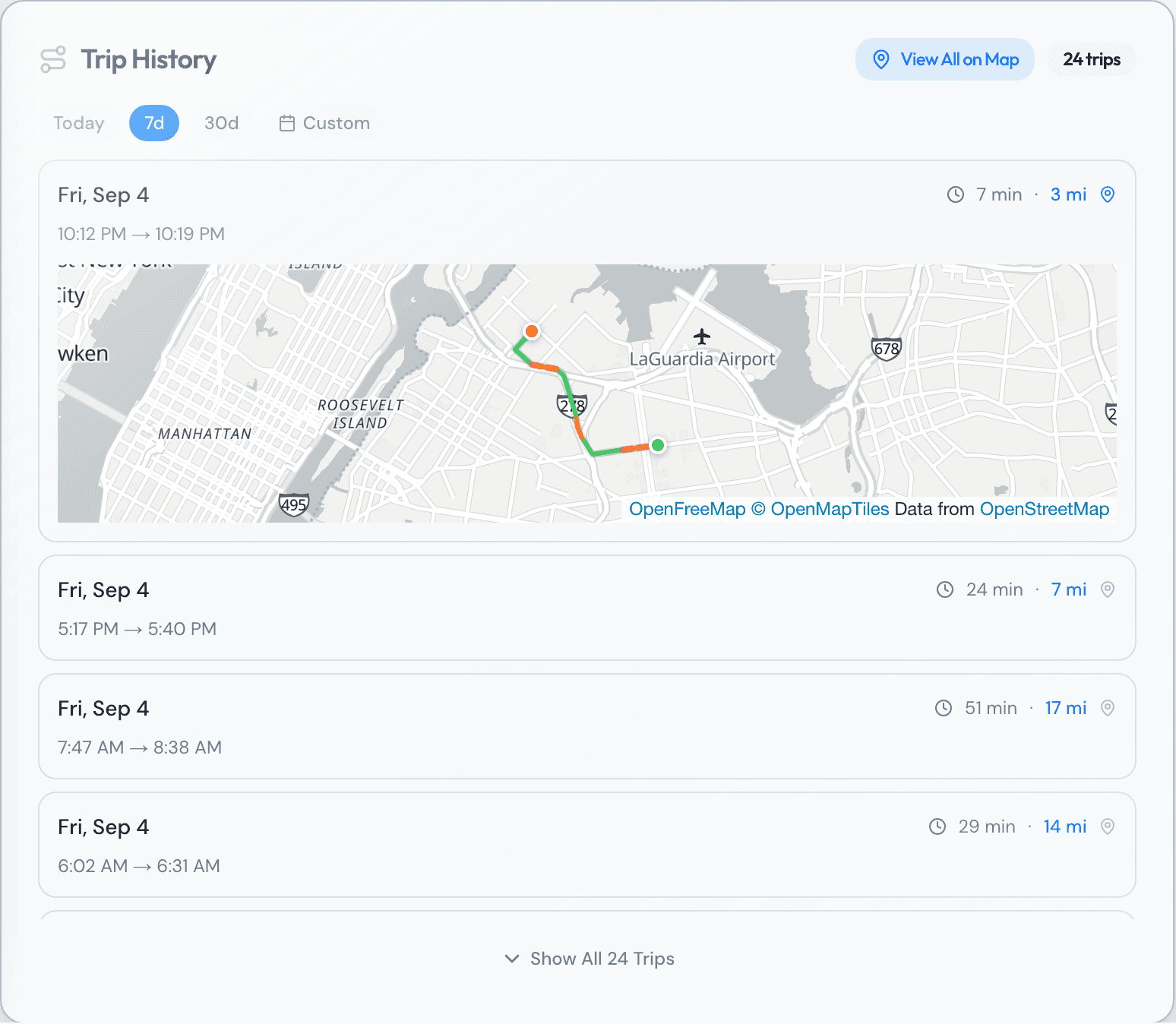
Every car on the map, and every trip it took.
FleetAi’s own tracker, or Tesla’s built-in data. See where each car is now, and every trip it made: where it started, where it stopped, how far, how fast. Trips stay on file for the tickets and tolls that arrive weeks later.
FleetAi Tracker: in-house GPS hardware with its own SIM, supplied by FleetAi
Harsh braking, acceleration, and idle time per driver
History follows the person: trips are clamped to each driver’s tenure
fleet-ai.app/dashboard/drivers · Trip History
Enforcement
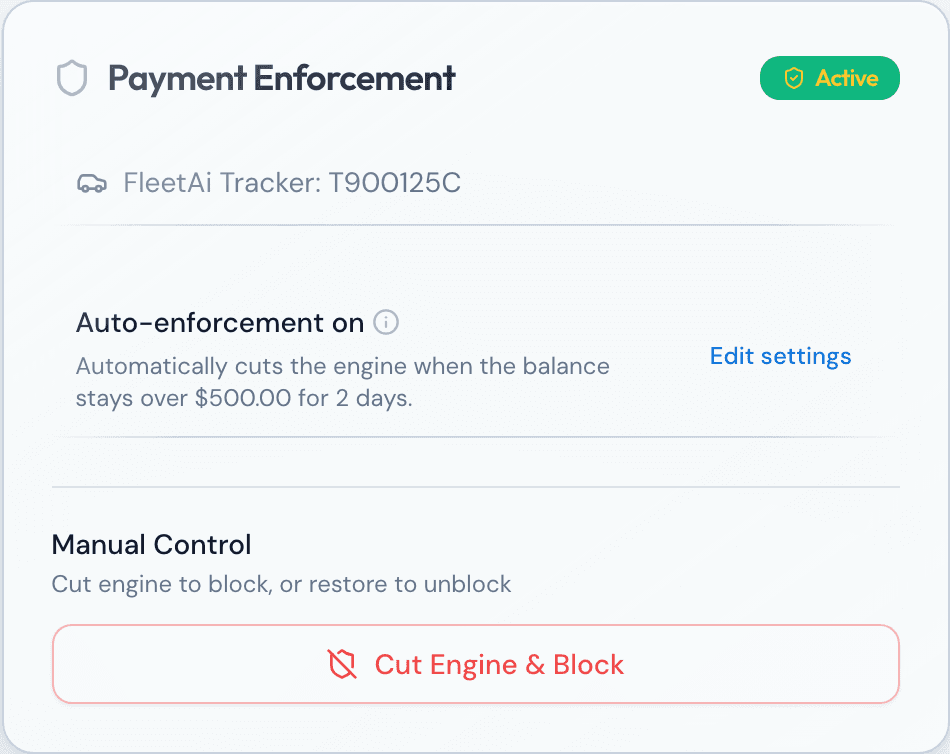
Rent unpaid? The car stays parked.
Set a threshold and a grace period per driver. When a balance stays over the line past the grace period, FleetAi disables the starter the next time the car is parked, and re-enables it the moment the balance clears.
The FleetAi Tracker’s starter relay, or Tesla’s own controls
Never cuts a moving car: a speed gate refuses the command
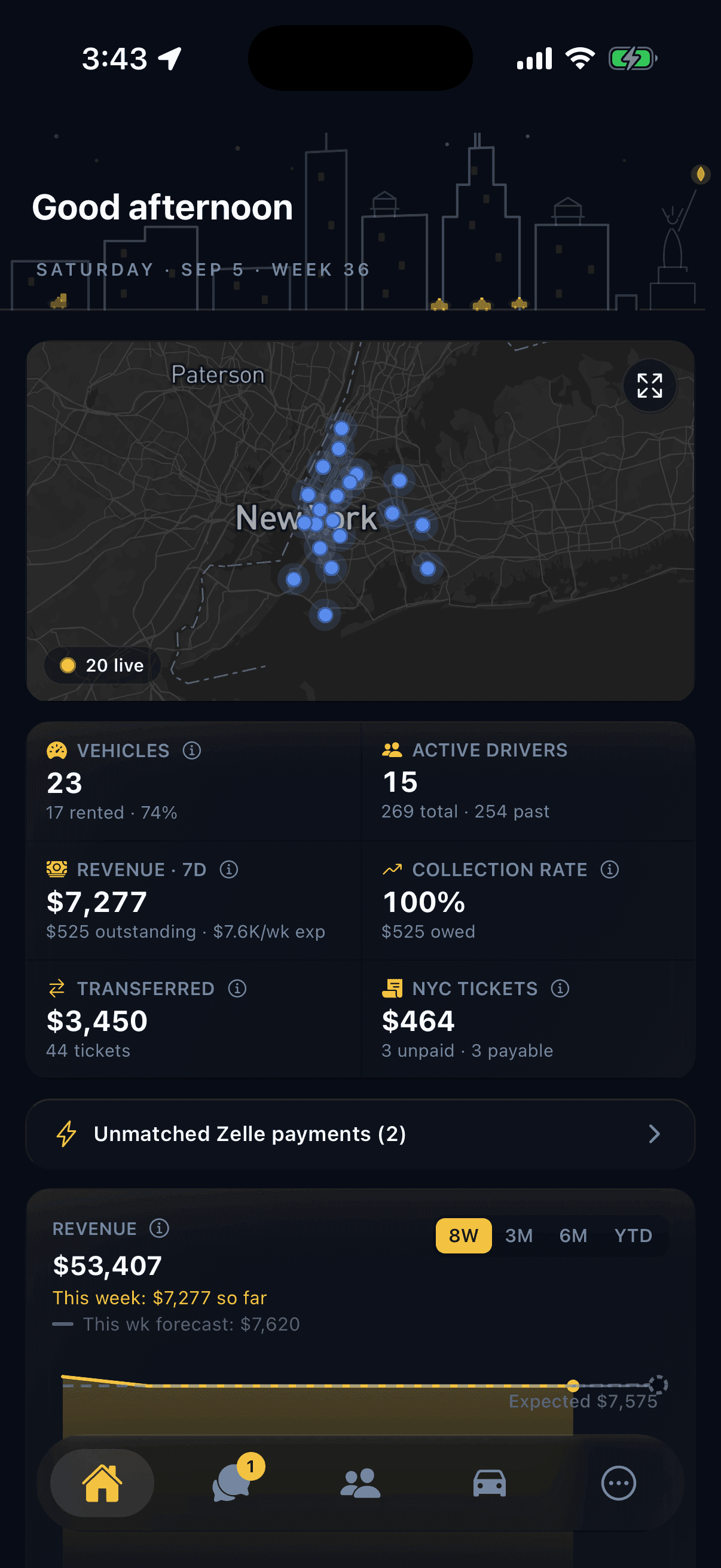
Messages, balances, credits and debits, onboarding links, and every car’s last position, in a native iPhone app for owners. When a driver calls the fleet line, it rings here with their name.
Every driver thread, with photos and call recordings
We set it up with you on a call. Videos show the rest.
Day 1
Get oriented
Dashboard, map, and search.
Day 2
Add your fleet
Cars, drivers, companies, a contract.
Day 3
Collect rent
Record payments, match Zelle.
Day 4
Tolls and tickets
Plus summonses and reports.
Day 5
Let it run
Reminders, ticket autopay, toll invoices.
Each step has a video in the app. Seventy so far.
Questions
Questions fleet owners ask before the walkthrough
Short answers. The long ones are on the blog. The blog
Does FleetAi work with my E-ZPass Business account?
Yes. Connect it once. Tolls match to the drivers who crossed, get checked against the car's GPS, and post to the weekly invoice.
How does Zelle matching work?
Connect the fleet's Zelle once. Payments match to drivers by name and amount as they arrive. Anything that does not match waits in a queue for one click.
Do I have to buy trackers?
Only if you want location and enforcement. FleetAi supplies its own tracker with its own SIM. Teslas need no hardware at all.
Can it really keep a car parked?
With the FleetAi Tracker or a Tesla, yes. The starter is disabled only once the car is parked, never while it moves, and re-enabled the moment the balance clears. Every command is logged.
What does it cost?
Every fleet is quoted on its own, on the walkthrough. Nothing per driver. Card payments carry a small fee the driver pays; Collections, if you turn it on, keeps a share of what it recovers.
How long does setup take?
We set up every fleet personally. Most fleets are collecting rent through FleetAi in their first week.
We set up every fleet personally.
Tell us about yours: how many cars, how you collect rent, which E-ZPass and ticket accounts you hold. We bring the data in with you and hand you a running fleet.