Guide
GPS tracking for TLC fleets: what a tracker actually tells you
6 min read
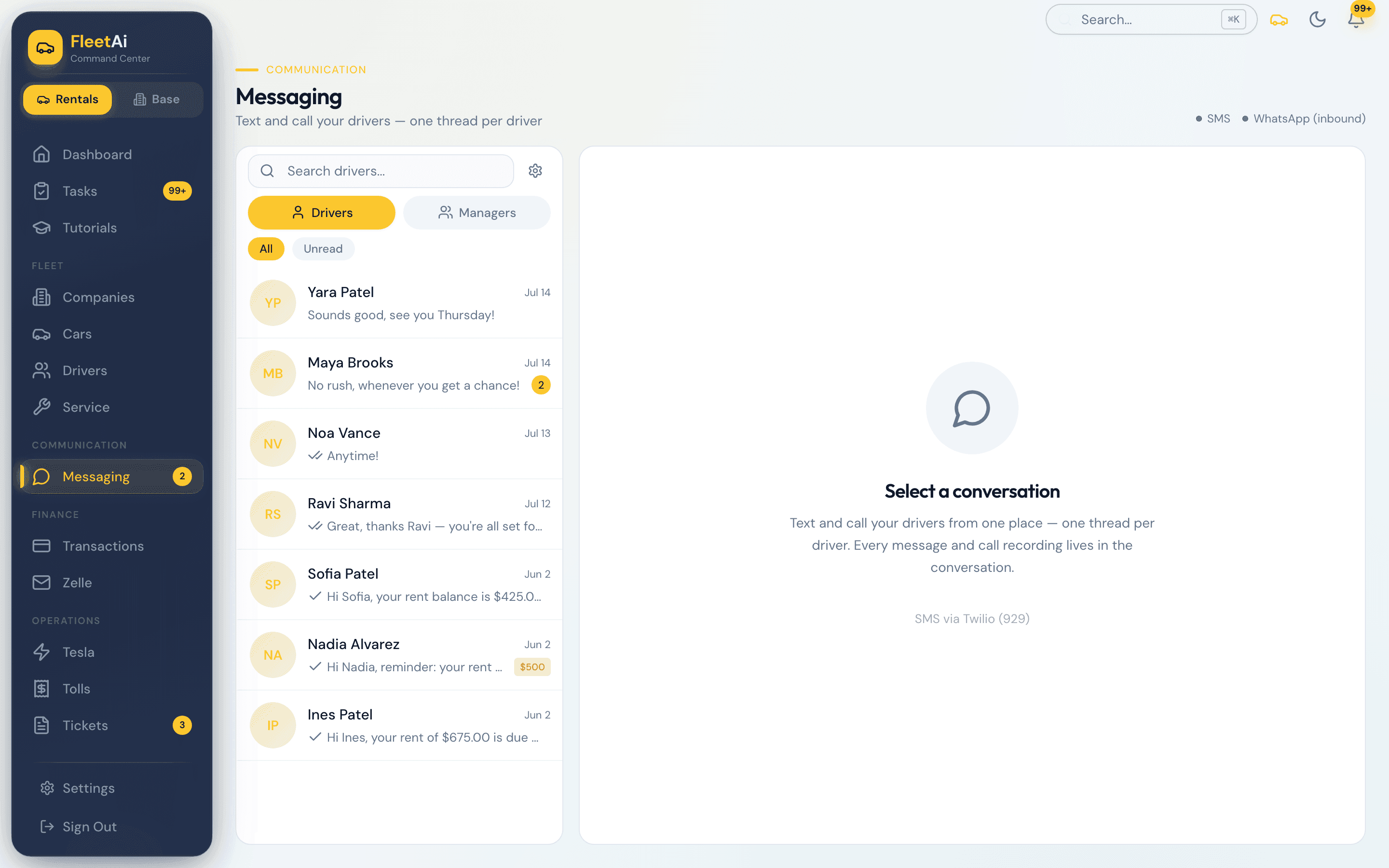
Messages and calls
Text drivers from the fleet's line and read every reply in one inbox. Calls ring on the desktop and on your phone with the driver's name. Recordings and transcripts stay in the thread.
Step 1
Every driver's thread in one inbox, the balance beside each name. Drivers text the fleet, not your cell.
Step 2
Rent reminders, overdue notices, and the weekly report go out on schedule. Broadcast to every driver in one send when something changes.
Step 3
A driver's call rings on the desktop and in FleetAi Manager on your iPhone, with their name. The recording and the transcript land in the thread.
From the blog. Written for fleet owners, not for software.
Guide
6 min read
Explainer
4 min read
Explainer
3 min read
Tell us about yours: how many cars, how you collect rent, which E-ZPass and ticket accounts you hold. We bring the data in with you and hand you a running fleet.
Also on this site: Rent collection · Toll billing · Tickets and summonses · Tracker and enforcement